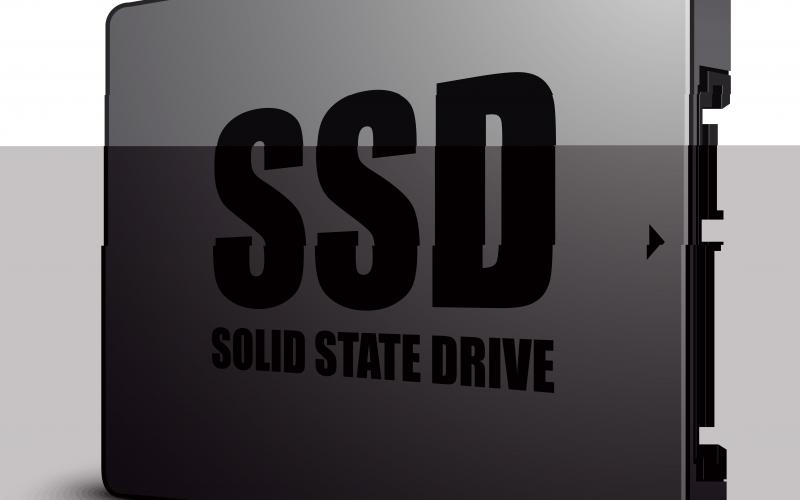
If you are here then you already know about Solid
State Drives (SSDs),
however looking for the best one to buy. So instead of giving a complete
comparison between two or three drives, we thought of sharing everything we
know about this particular one. Having half knowledge about all is never better
than knowing full data about one.
Technical
specifications
• Form Factor: mSATA
• Memory capacity: 180 GB
• Interface: Mini-SATA (mSATA)
• Memory components: MLC
• Sustained throughput: 550
• Sector size: 512/512e
• Write Latency: 85 Microseconds (µs)
• Read Latency: 80 Micro Second (µs)
• Max sequential write: Up to 520MBps
• Max sequential Read: Up to 550 MBps
• 4KB random write: Up to 80,000 IOPS
• 4KB random read: up to 50,000 IOPS
• MTBF (Mean time between failures): 1,200,000
hours
• Power consumption: 250mW (idle)
• Power consumption: 300mW (when active and
working)
• Max shock resistance: 1000G
• Operating temperature range: 0°C to 70 °C
Features
• Low power consumption
• Increased system responsiveness
• Fastest speed
• Higher reliability
• Higher input-output and throughput
performance
• End to end data protection
• Advanced encryption standard 128-bit
encryption
• Data compression
• Excellent performance when it comes to
real-world traces
• Small form factor with higher performance
• Great mixed workload throughput
• Class-leading performance
Overview
Intel’s SSD 525 series
offers great performance with a random read of up to 50,000IOPS and random
write of up to 80,000 OOPS. The device is equipped with a PCIe Mini connector
that can sport applications from netbooks. The device also offers the advanced
key features such as the advanced encryption standard of 128-bit encryption,
data compression, and an end to end data protection.
Power
consumption
Power consumption is
the main factor that people consider before buying an electronic device. Since
a drive itself can consume a lot of memory in any computer or notepad, therefore,
SSD plays an important role. Intel SSDMCEAC180B301 consumes lower power,
therefore, it is an ideal option for all customers to buy it.
End
to end encryption with 128-bit encryption
The data when enters
into SSD until it leaves, the SSD keeps the data safe and secure. So, you don’t
have to worry about the loss of the data, your device can keep it store in its
original form. It also offers data protection and keeps your data store in
cache memory so you can keep your data saved from any kind of power shutdown or
crash.
Increase
system responsiveness
With 4KB random write
of up to 80,000 IOPS and 4KB random read of up to 50,000IOPS, the system can
respond immediately. The faster processing speed of the solid storage device
makes the system more responsiveness so you can enjoy the actual speed of your
computer.
Consistent
and fast speed
The Intel SSDMCEAC180B301
delivers the fastest speed to a computer. With Write latency of 85 Microsecond
(µs) and read latency of 80 Micro Second (µs), the SSD can provide consistent
and fast speed. When it comes to read performance, it ranks at first. With
faster speed, you can read and write data at a faster rate.
Memory
capacity
You can enhance the memory
capacity of your unit by 180GB so enjoy the high computing speed with the
enhanced memory to store the data in your system at a faster rate.
Conclusion:Till
date, the 525 Series of SSD is offering the highest performance. The device had
been tested literally to the point that the end-user would not see any kind of
difference even the device makes the system perform better. If you are the one
who is looking for the extra space in your memory, Intel SSDMCEAC180B301 is an ideal option to have fast speed
solid-state memory.
Like all the SSDs,
performance is the biggest factor that anyone considers before buying an SSD.
When it comes to reliability and compatibility, Intel is the one that is always
completing its promises. Whether you are an integrator or OEMs and you want to
buy Solid-state drives in bulk then this Solid-state drive is an ideal option
to buy when it comes to compatibility and reliability.
Thanks to the large
engineering team who have made it possible to enhance the memory of a system when
you want. So now you don’t need to buy a new system when you want the memory to
store files, enhance the speed of the system by adding this SSD into it.


 Esaitech