Helium Technology Hard Drives Are The Future

We are living in an amazing time where technology is appreciated by everyone. Every day the world is coming up with something new and innovative apps are changing the way we interact with the world. There are various apps for a workout, your diet, and whatnot. The technology has reached almost every sphere and has gotten its roots into everything.

The technology has also been into the computer and its hardware since its inception. From the mid-1970s to 2019, the technology has changed the way we store data in a PC. The latest example of such technology is the availability of helium technology hard drives.

These hard drives came not so long ago and were not available commercially. In November 2013, the largest hard drive which was available was 6 terabytes. But now we are seeing the biggest capacities up to 10 TB that are available n the market. Another year and you will be seeing the hard drives up to 16 TB to 21 TB. various companies have been purchasing and deploying the helium-filled hard drives over the past year. The companies have started looking at the very fewer failure rates of Helium-filled hard drives as compared to the air-filled hard drives.

In the Air-filled hard drive, there is a disk that is spinning at the RPM of 7200. The air inside the hard drive is causing resistance to the platters. On the other hand, Helium is lighter than air. This is the reason why the balloons that are filled with helium float higher in the air. When you are replacing the air inside the Hard Drive with the Helium, this will reduce the amount of drag. This is why hard disks such as HGST 0F27352 Ultrastar are faster and with a storage space of 10 TB.

Helium Technology Hard Drives

This is also true that helium-filled balloons may float in the air for some time, but when after a while they come down as the helium escapes from the balloon. This is not only the case with the balloon also with other containers as well. The hard drive manufactures took years to create the container that could easily contain the helium in them while also functioning with the spinning disks. This container innovation made it possible that the helium-hard drives function well throughout their lifetime.

Helium is the second lightest as well as the second most available element in the universe. Helium i safe as it does not react with anything. It is 1/7th the density of the air. When you replace air with Helium, it is going to cause less turbulence inside, delivering various advantages at once.

Here are some notable advantages of helium advantages for hard drives:

  • The helium is going to squeeze the tracks together meaning that there will be more data per disk.
  • Thinner the hard disks, more the disks. There used to be 5 disks but now it has 8.         More the disks, the more the data storage.
  • The thinner the hard disks, the es power they are going to require spinning.
  • There is less drag for the disks in the helium hard drives, which makes it spin faster as compared to the hard disks filled with air.
  • Lesser the drag in the hard disk, the lesser is going to be the noise.
  • The helium hard drives are sealed which keeps the helium inside and keeps the contaminants out.

Conclusion:

The key to making the best hard drive is by reducing the power consumption while packing more data in one HDD. helium makes it possible and makes it possible that we can have high capacity hard drives like HGST 0F27352 Ultrastar. This has come as the perfect recipe for the innovation in storage. Decades have been spent on making a container to contain helium, which was way before even way before the smartphones existed.

Orignally Publish At: https://knowandask.com/helium-technology-hard-drives-are-the-future/
3 Things To Consider While Buying The Right Hard Disk Drive

The hard disk drive is the drive space which is a fixed data storage device. Hard drives are one of the most popular storage devices which exist in the market today.

You are going to find them on all the laptops, computers and in the external storage devices as well. These hard disks are using the magnetic storing technology that stores and retrieves data using the rotational disks.

There are the humming an d vibrating sound that the hard disk makes when they are in use. You cannot install any application software if there is no hard disk.

Once you have installed the operating system and the application software in your Hard drive, there is more to come.

There are several media files on the hand, that you might prefer like image files, movies, music, and much more.

If you are a fan of playing video games, then you are also going to install some video games or the purpose of entertainment.

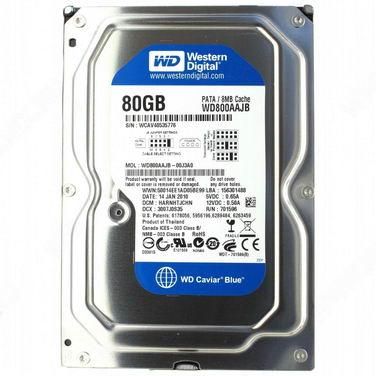
You would need a hard drive with more and better speed like Western Digital WD800AAJB. The way to entertainment is more storage and less time consumption.

If you are looking to buy the hard drive, here are some of the tips:

1. Hard Drive Storage Capacity

We start looking for a new hard drive when we need more storage space. Suddenly that space in your hard disk will seem low and your PC will become inadequate for more tasks. On a PC or laptop, you can add a second or the third hard disk and can increase the space easily.

The more storage that you are going to go for, the more many you have to spend.

Generally, one needs more space when there is too much data to store for numerous reasons. The customers who love playing games and obviously want something which can handle those game or the ones who want to use big software like video editing software and more.

More the hard drive space, the more the space to install programs and more the speed for the laptop.

2. Rotational Speed

Hard Drive

There are various new users who may not realize every feature of the hard disk. Every hard disk is not equal there is a thing called revolution per minute(RPM). Hard rives re coming in various RPMs like 4200, 5400, 7200 and 10000. The faster the RPM, the faster the hard drives will process and read your data.

The maximum number of hard drives is 5400 RPM, which is quite an average. The most recommended version of Hard disk is 7200 RPM. 10000 RPM is only needed by high end-users such as gamers. 7200 is best for offices, home PCs and laptops which are only used for general use.

3. Internal And External

When you are out to buy the hard disk drive, there are two choices you can prefer. The one is the external hard drive and the other one the Internal hard drive.

In most cases, people would be looking to increase the internal hard drives as they want the windows to run more smoothly or the programs which they have to install.

External hard drives are only needed when you are in need of the space for media like movies, videos, and bigger files. But in the case of internal hard drive, they are needed when you have to install big software, games, and more.

If you need space to install programs, then you need to upgrade your Hard disk with hard disks like Western Digital WD800AAJB, which can handle all your computer programs.

Orignally Publish At https://blog.newszii.com/hard-disk-drive


THINGS TO CONSIDER BEFORE BUYING A HARD DRIVE

It is very safe to say that we are living in an age where we are surrounded by data consumption and it is on the rise consistently. As data consumption increases, we need more storage. But, from where we are going to gain it from? Well, you need to buy a hard drive, which is going to provide an answer to this new age dilemma. These hard drives are going to store any kind of data, you want them to. There are a few things that you must look for when you are going to buy a new hard drive. 

There are some key specifications and other factors that you need to take into account when you are going to buy a new hard drive because you can buy an old or corrupted one. 

Here are those things that you must look for in hard drive:

Cost and quality:

There is always a war between the price of a commodity in respect to its quality. The higher you pay, the higher quality commodity is what you are going to get. There are many low prices hard drives that do not support the latest features of the upgraded versions. Although, some of the customers are satisfied with these hard drives, some are not. 

There are customers as well who are only looking for a longer warranty period, faster performance, improved reliability, and other features. For them, the hard drive with the best enterprise model is what suits them the best. For example, Buy Dell Hard Drivewith faster RPM and better cache memory is going to attract a lot of customers. Although, if you are not a high-end user and are looking for a hard drive or a home desktop or laptop, a simple hard drive would suffice. 

But on the other hand, if you are looking for a hard drive for gaming purposes, then you need to seek something with better performance and reliability. 

Reliability:

There is no hard disk that is going to last forever. Therefore, you must always consider the reliability of the hard drive you are purchasing. This is so because sometimes you are storing the data which is very important for you. You cannot lose that data at any cost. There is also the feature of the backup which is very useful when it comes to getting the lost data back. 

One of the easiest ways to determine the reliability of the hard drive is by checking its warranty period. The more the warranty period, the reliable the hard disk is going to be. 

Recording technology:

There are many hard drive buyers who do not know there there are different types of technology for recording data, which have their own trade-offs. One of the most common types of recording is the perpendicular magnetic recording, which writes and reads the data from the circular tracks. There is also another technology which s known as Shingled Magnetic Recording. In this technology, it overlaps the tracks of recording to store the data at a lower cost.

Although the SMR is less costly than the PMR, this benefit is not going to suffice the experience of writing delays and average performance. 

Speed and capacity:

One of the most important aspects to consider when you are buying a new hard drive is a general size or capacity or the read and write speed. The more the speed and the size of the hard drive, the more is going to ve the prize and the more it is going to be reliable. If you are unaware of how much bigger hard disk you need, you must get the bigger one than necessary if you do not want to sacrifice the reliability and most importantly, the performance. 

Conclusion:

Now that you know how to buy a reliable hard drive, there are the best hard drives in the market or online. For example, you can Buy Electronic Components and Equipment Online and might get it for a lesser price as compared with the market one. A better hard drive is going to be the lifeline of your PC or laptop. 

Originally Publish At: https://mytrendingstories.com/article/things-to-consider-before-buying-a-hard-drive/

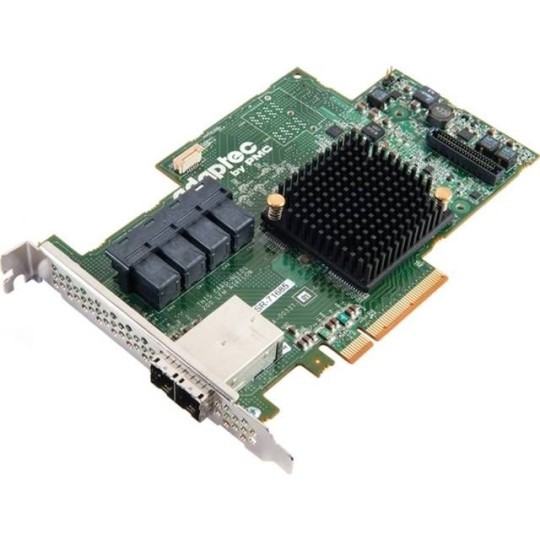
EVERYTHING YOU NEED TO KNOW ABOUT THE NETWORK PC ADAPTERS

Before getting into buying the network adapter, you must know what a network adapter is and for what purpose it is used in the computer. Well, it is an electronic component, which is used in a laptop or computer so that they can interface with the local computer network. They can work with the wired connections which include the ethernet cable, wireless using the routers or both.

BUT HOW ARE YOU GOING TO KNOW WHETHER A PC ADAPTER IS PRESENT IN YOUR PC OR NOT?

In both the PC as well as the laptops, you need to look for an RJ-45 jack on the back of the computer. It will appear like a phone like jack but will be bigger in size. When you are looking for in a notebook computer, the jack is going to look like thin metal, a removable metal device that is in the size of a credit card.

For the computer, which is running on windows, they may contain integrated adapter chips. What you need to need to do is to activate the device from the control panel. In any computing device, you need to look for a small external device that has the lights connected in the USB port.

HOW TO BUY PC ADAPTERS?

Customers research a lot when they are looking for PC adapters. You can find many suppliers which are selling various electronic equipment online as well as offline. But to buy PC adapters online or offline is often a challenging task as you do not know which one to go for. The online sellers today are selling these adapters at a very affordable price and selling them with a router as a part of a kit. This kit is known as the home network kit.

There are various kinds of sellers online as well as offline and much can be found selling both the ethernet and Wi-Fi supported adapters, carrying mostly the similar functionality.

HOW ARE YOU GOING TO INSTALL THE NETWORK ADAPTER?

There are only two steps which are involved in installing Pc adapter hardware:

  1. The first step involves connecting the hardware to the computer.
  2. The second step is installing the software for the hardware to work

For the PCI adapters, what you need to do is to shut down your PC first and unplug the power cord in order to install the adapter. A PCI adapter is that is going to fir into a long and narrow slot on the motherboard. The case of the PC must be opened and it must be fitted or installed neatly.

Note that only the adapters which are Wi-Fi supported can be plugged into the computer when the PC is running normally. When you are installing a hardware system, you need to install the software in order to activate the hardware to work. You need to complete the basic software installation which is very necessary for the device to work.

Buy PC adapters online

The installation is done through a CD-ROM which contains the information for the hardware. With this, the software is going to allow the operating system to communicate with the Adapter.

CONCLUSION:

The network adapter is one of the main components for both wired and well as wireless computer. Sometimes you need to buy the network adapter separately as without this there is going to be no internet connection.

Originally Publish At https://www.onmypost.com/network-pc-adapters/

What is the Function of a Network Interface Card?

It is a device that connects your computer to a local data network or the internet. The card helps to translate the data inside the computer into electrical signals which it sends through the network.

The signals are compatible with the networks which helps the computers to exchange information reliably with one another.

The Internet has become the basic necessity for anybody and so which is why interface cards are included in everything from PCs to desktops.

You also get the option to add the network card to the bare-bones of a computer just in case if it does not have one.

Description of the Network Interface Card

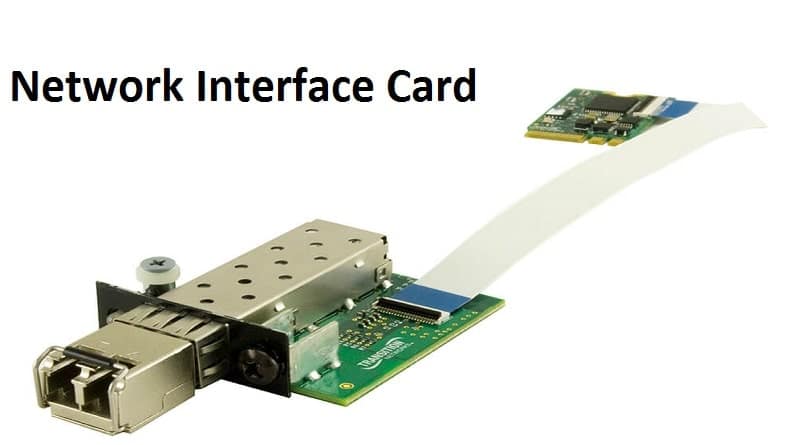
It is the size of a network adapter. It is basically in the shape of a plastic circuit board which is just of the size of a playing card. The presence of several chips in the network interface makes the help process the network and the PC.

The card slides into the personal computers chassis and then firmly with the connector which is present on the motherboard. A steel bracket holds the network interface card in place.

The bracket may have an antenna or a cable jack and that totally depends on the kind of network to which the computer makes connections. The bracket also has light-emitting diodes that indicate the activity and status.

Network Interface Card

Function

A network card functions as the middleman between the computer and the data network. For example; once you are logged into a website, the PC passes the website information to the network card which further converts the address into electrical impulses.

The impulses are carried by the network cables to a web server somewhere on the internet, which further responds by sending a web page back to you in the form of the electronic signals. The interface cards receive the signals and in return, it converts it into data which is displayed on the screens.

Drivers

The card hardware of the network needs programming to make it work.

Types of Network Interface Cards

The most contemporary kind of network cards works with the wireless networks of the Wi-Fi. The cards have an antenna to send some data signals via the radio waves. Some networks even use the wired Ethernet connections which have a rectangular plug that mates with the jack on the network’s card bracket.

In the new generation computers, the network adapter’s cards are the custom computer chips which are built into the PC’s motherboard. Every computer has the universal capability to have in-built network access. Having chips with the motherboard frees up the card slot for devices which you might want to add later.

The computer retailers sell the network accessory cards if you wish to install one in your computer.

Learn how to install a Network Adapter

It consists of 2 easy and quick steps

  • You must first connect the adapter hardware to the computer
  • Install the required software associated with the adapter

There are various ways through which you can buy a network interface card, either can buy it online or directly from the market. It is easily available so availability will never be an issue.

Here are some network interface cards that are worth your money:

  • Intel EXPI9404PT
  • Intel EXPI9404PTG2L20
  • Intel EXPI9404PTLBLK
  • Intel EXPI9404PTL
  • Intel EXPI9404PTL

Originally Published At https://knowandask.com/what-is-the-function-of-a-network-interface-card/

For the soul that loves music- Esaitech

Who does not love humming to the favorite tunes and beats once in a while?

Some love listening to music loud in the car, inside the room, hall, in the garden whereas some love to hear it through the headsets creating a personal and soothing environment for oneself. Music preferences differ from person to person and so do the ways in which they wish to enjoy the music.

Some hear music with headsets and others with speakers. No matter which one is your choice there are ample number of options and variations available for them in the market. You can directly purchase them from a brick and mortar shop, the exclusive outlets of the brands and the third most convenient option which is to buy headsets and speakers online, without any hassle.

To get a premium experience and enjoy the superior sound of the speaker or the headphones you need to start looking for the one brand that will deliver you all. The first thing that you need to take into consideration before buying the perfect set of headphones and speaker are the features. Once you know what all you want in a speaker and headphone the next thing you need to consider is the price of the gadgets. The one which will suit your pocket will obviously be the best option.

The variety in headsets and speakers is endless. Here we are providing a few for you to make things easier.

Some of the best speakers available in the market and online are:

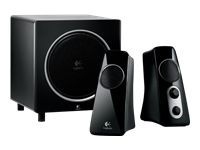
LOGITECH 980-000382 Z313 SPEAKER SYSTEM 2.1

Creative SBSVIVID60 SBS VIVID 60 Speakers

Some of the best headsets available in the market and online are:

Motorola HC170-D0A1Y110WR Symbol HC1

Razer RZ12-00870100-R3U1 1.57-Inch 20Hz–20KHz 110dB

We have listed some of the top-performing headsets and speakers in the industry. You can have a quick run-through their abilities or features and decide for yourself which one to buy basis on what suits your need and requirement. 

Intel SSDSC2BA100G301 Solid State Drive (SSD)- Take a peek!!!

A lot us don’t know much about SSDs; which is an abbreviation for Solid State drive. HDDs are the common drives which we all use in our PCs or laptops. Because they are cheap and easy to attain. On the other hand, professionals working on high levels with huge amount of data and requires efficiency look out for SSDs. As SSDs are known to be as faster, durable, lighter and consume less energy. Here is a sneak peek on one of the SSD available in the market.

Technical Specifications:

  • Memory components: MLC
  • Interface: SATA III
  • Components: Intel NAND flash memory multi-level cell technology
  • Max sequential write: Up to 200MB/s
  • Max sequential read: Up to 500MB/s
  • 4KB Random Write: Up to 19,000 IOPS
  • 4KB Random Read: Up to 75,000 IOPS

Advanced Technical Specifications:

  • Enhanced data protection system: Yes
  • Hardware encryption: AES 256 bit
  • HET (high endurance technology): Yes
  • Intel rapid start technology: Yes
  • End to end data protection: Yes
  • Temperature logging and monitoring: Yes

Overview:

Get longer battery life, faster response time and enhanced performance with Intel SSDSC2BA100G301 solid-state drive. The SSD works almost similar to HDD but with enhanced performance as it can work efficiently. They do not have any removable parts therefore SDDs consume lesser power consumption as compared to the HDDs. It offers superior performance with a 4KB random read of up to 75,000 IOPS. So, simplify your computing system by faster loading and responsive speed.

Premier performance and protection

The Intel SSDSC2BA100G301 offers the next generation of data center SSD. It combines consistent performance with high data endurance and complete data protection. The consistent and high data performance and protection make it the SSD of the next generation.

Fast performance

The SSD offers the superior performance with the 4KB Random read speed of up to 75,000 IOPS and 4KB random write speed of up to 19,000 IOPS. With 10% of IOPS (input-output operations per second) and max latencies, the SSD offers higher data performance and protection. It offers quick and consistent performance having higher responding time. The low active power consumption makes you able to save energy costs.

Having advanced encryption standard capability

It keeps your data protected from any kind of external devices. It is equipped with 256-bit encryption technology offering you peace of mind that all your data remains safe and secure. So whenever you want to store confidential data, you don’t have to worry about anything else.

Complete end to end data protection

It keeps your data protected from the time it enters to SSD to the time it leaves the SSD. It uses an advanced error correction system that keeps your data secure against any kind of possible data corruption. The data remains protected through several techniques such as cyclic redundancy checks, LBA tag validation, and parity checks. If an error is detected in your data, immediate response by SSD will resolve the issue as earlier as it is possible. However, still, if the error is not corrected then an uncorrectable signal is sent to the host to resolve the issue.

Apart from that, to improve the data assurance, it provides an array of surplus memory that keeps the data stored in cache preventing any kind of data loss.

High endurance technology

The device is equipped with the high endurance technology that can complete your high demanded needs. Incorporating with the high endurance technology, it offers endurance in multi-level cell package. Combining both NAND silicon enhancements and SSD NAND management technology, it can write 10 drives per day over five years of period.

Better power loss data protection

Better power loss data protection makes you able to reduce potential data loss by detecting unexpected system power loss. All the cache data can be recovered to access the data over again. These drives save the cached data in the process while shutting down the computer to keep the data protected.

If you are the one who wants a more responsive system, better power efficiency and faster loading speed then this SSD is just a perfect choice for you. So you will have consistently better performance. Apart from this, it is ideal to keep your data safe, secure and protected. So, Buy Solid State Drive Online and enjoy high computing speed while having a peace of mind to keep your company’s confidential data protected.

Originally Published At: https://www.technobugg.com/intel-ssdsc2ba100g301-solid-state-drive-ssd-take-a-peek/