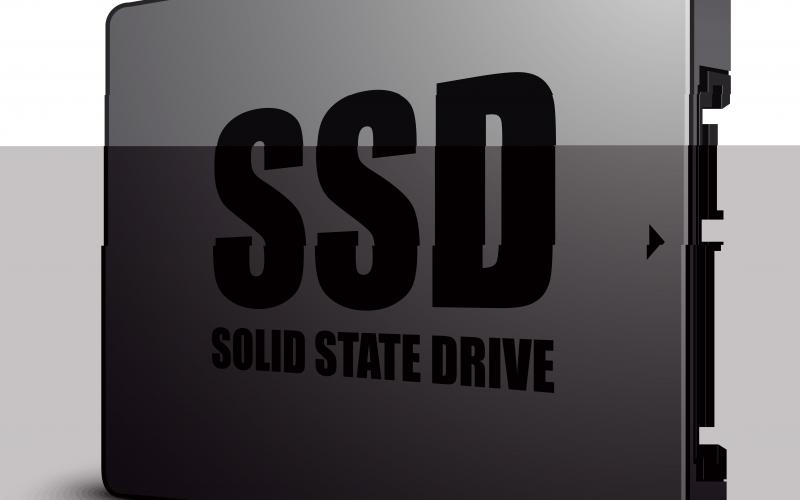
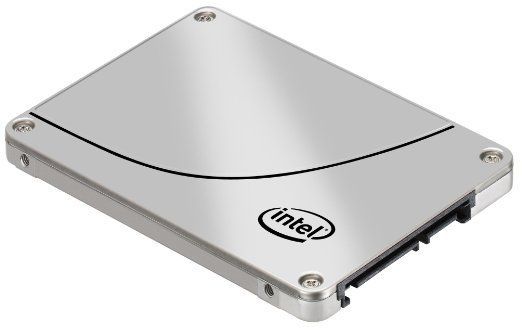
Intel SSDSC2BA100G301 Solid State Drive (SSD)- Take a peek!!!

A lot us don’t know much about SSDs; which is an abbreviation for Solid State drive. HDDs are the common drives which we all use in our PCs or laptops. Because they are cheap and easy to attain. On the other hand, professionals working on high levels with huge amount of data and requires efficiency look out for SSDs. As SSDs are known to be as faster, durable, lighter and consume less energy. Here is a sneak peek on one of the SSD available in the market.

Technical Specifications:

  • Memory components: MLC
  • Interface: SATA III
  • Components: Intel NAND flash memory multi-level cell technology
  • Max sequential write: Up to 200MB/s
  • Max sequential read: Up to 500MB/s
  • 4KB Random Write: Up to 19,000 IOPS
  • 4KB Random Read: Up to 75,000 IOPS

Advanced Technical Specifications:

  • Enhanced data protection system: Yes
  • Hardware encryption: AES 256 bit
  • HET (high endurance technology): Yes
  • Intel rapid start technology: Yes
  • End to end data protection: Yes
  • Temperature logging and monitoring: Yes

Overview:

Get longer battery life, faster response time and enhanced performance with Intel SSDSC2BA100G301 solid-state drive. The SSD works almost similar to HDD but with enhanced performance as it can work efficiently. They do not have any removable parts therefore SDDs consume lesser power consumption as compared to the HDDs. It offers superior performance with a 4KB random read of up to 75,000 IOPS. So, simplify your computing system by faster loading and responsive speed.

Premier performance and protection

The Intel SSDSC2BA100G301 offers the next generation of data center SSD. It combines consistent performance with high data endurance and complete data protection. The consistent and high data performance and protection make it the SSD of the next generation.

Fast performance

The SSD offers the superior performance with the 4KB Random read speed of up to 75,000 IOPS and 4KB random write speed of up to 19,000 IOPS. With 10% of IOPS (input-output operations per second) and max latencies, the SSD offers higher data performance and protection. It offers quick and consistent performance having higher responding time. The low active power consumption makes you able to save energy costs.

Having advanced encryption standard capability

It keeps your data protected from any kind of external devices. It is equipped with 256-bit encryption technology offering you peace of mind that all your data remains safe and secure. So whenever you want to store confidential data, you don’t have to worry about anything else.

Complete end to end data protection

It keeps your data protected from the time it enters to SSD to the time it leaves the SSD. It uses an advanced error correction system that keeps your data secure against any kind of possible data corruption. The data remains protected through several techniques such as cyclic redundancy checks, LBA tag validation, and parity checks. If an error is detected in your data, immediate response by SSD will resolve the issue as earlier as it is possible. However, still, if the error is not corrected then an uncorrectable signal is sent to the host to resolve the issue.

Apart from that, to improve the data assurance, it provides an array of surplus memory that keeps the data stored in cache preventing any kind of data loss.

High endurance technology

The device is equipped with the high endurance technology that can complete your high demanded needs. Incorporating with the high endurance technology, it offers endurance in multi-level cell package. Combining both NAND silicon enhancements and SSD NAND management technology, it can write 10 drives per day over five years of period.

Better power loss data protection

Better power loss data protection makes you able to reduce potential data loss by detecting unexpected system power loss. All the cache data can be recovered to access the data over again. These drives save the cached data in the process while shutting down the computer to keep the data protected.

If you are the one who wants a more responsive system, better power efficiency and faster loading speed then this SSD is just a perfect choice for you. So you will have consistently better performance. Apart from this, it is ideal to keep your data safe, secure and protected. So, Buy Solid State Drive Online and enjoy high computing speed while having a peace of mind to keep your company’s confidential data protected.

Originally Published At: https://www.technobugg.com/intel-ssdsc2ba100g301-solid-state-drive-ssd-take-a-peek/
Solid State Drives – ESaiTech

Storage and performance are the two most crucial aspects of computing. SSDs are a viable means which can enhance the capabilities of a personal computer. They must be considered by anyone looking for speeds or increased disk space.

What is an SSD?

Although the HDD and the SSD serve the same purpose but there is a vast difference between the hard drives and the sold state drives. Where a hard drive is comprised of the many moving parts of the optical media and magnetic, whereas on the other hand a SSD is solid.

Solid state drives are more responsive than the other similar to the hardware and the fluctuation in the price range which makes them more affordable than ever. The reading and the writing times are significant and people who are seeking for higher output/input must explore the possibilities that the SSDs can facilitate.

Types of SSD

SSDs can be used in several different capacities.

The most familiar is the most affordable one too. It is the 2.5” SSD that comes enclosed in a lightweight shell and it will require the SATA connectors for data transfer and power. You can easily and commonly find these kinds of SSDs in PCs, laptops and such kind is mostly utilized as the boot drives and for the sole storage solution due to the reasonable price.

The next type of SSD is the mSATA or the Mini-SATA which refers to both form factor of the SSD as well as the interface. It is smaller as compared to the previous one and has a bare circuit. The typical application for these devices is laptops, netbooks, and other devices that might require a smaller footprint.

The 3rd type is quite similar to the mSATA and comes along with a bare circuit board. This name is referred to the connector and the form factor and there are both SATA and PCI-E variants in it.

If you are looking for the perfect SSD to take over the work, then here is the list that you must consider before buying anything:

Seagate: A Trusted Brand for the External Hard Drives

We all create memories, take pictures, videos and wish to relive them over and over again. You need to keep them safe forever if you wish to live and feel those moments all over again. To keep them safe you need gadgets and instruments to help you do so. Now, there are external hard drives that you can connect to your devices which would help you to store your data in a safe place.

There are many brands that sell highest quality hard drives which work smoothly and you can buy them from anywhere online, some of which are:

  • Intel SSDPED1K015TA01
  • Samsung MZ7LM3T8HMLP-00005
  • Intel SSDPE2MX012T701
  • Intel SSDMCEAC180B301
  • Intel SSDPE2ME016T401
  • Intel SSDPE21K750GA01
  • Intel SSDSC2KB240G701
  • Intel SSDPE7KX040T701
  • Intel SSDSC2BA012T401
  • Micron MTFDJAK800MBT
  • Seagate ST2000NX0253

You need extra storage for playing and for work; Seagate is the one brand that you can trust. The Seagate external hard drive has the latest features that will help find the space that would store your files or process the programs. It has wireless units that could help you to bring the no fuss set ups. Go through a few things here that would benefit your lifestyle.

The Seagate Brand

It is one reliable brand that comes with the external hard drives. The Seagate external hard drive is used as a back-up for any system that will help you to keep your documents, videos, music photos safe and secure. This can be easily trusted and relied upon; it will keep your operating systems, programs and other preferences safe from getting corrupted. You don’t have to worry about damaging the hard drive as that could mean the end of your efficiency. With Seagate you can easily keep your safe and programs safe. You can also easily retrieve the data from your main computer.

  • Allows for Remote

The Seagate’s external hard drive will allow you and the authorised users to remotely access your programs and files. If you have a start-up and your whole team needs to keep sharing the files then you can trust hard drives that will help to keep your data safe and secure.

  • Multiple User Optimizations

Apart from solely accessing the files, the external hard drives additionally allows the team mates to upload and download the data. The Seagate Iron Wolf allows the user to take up the workloads at upto 180 TB per year.

  • Handles High Data Traffic Network

Seagate uses the multi-user technology which allows the users to access all the files and run programs even during the peak hours of the operation. The multi-user technology lets even allows the authorised teammates to see and get an access to the files which you would need to keep your projects going. You can even purchase more than just a single pack of the external hard drives and thereafter bunch them up so you get more storage for all your programs, data and application.

  • Lots of Storage for Businesses

The external HD can store a huge length of the high definition films. This kind of a storage space you can imagine the programs and the files which can be stored to support the transactions of any business. Own a media based business? This external hard drive would sit ideal for you!

Passionate computer users and business owners have already been benefitted from the trustworthy features of the external drive which would be also beneficial for you.

  • Application Performance

The Seagate SSDs read the files really fast which is why they run the applications very quickly, smoothly and reliably. This statement totally holds true for the multimedia users who are dependent upon the digital design software and video editing which requires rapid rendering.

The SSD’s help to run the apps faster and smoothly and also these are efficient for transferring files smoothly quickly. Hard drives are great for running an intense workload and it will need your computer to execute the tasks without any problem.

  • Energy Consumption of the SSDs

The Seagate SSDs are energy efficient and most people look for this ability before buying an SSD. If you are searching for highly-performing and an SSD that works efficiently, perfectly then this is certainly the right choice for you.

Originally Published At: https://www.darbaar.com/seagate-external-hard-drives/

SSD vs. HDD: The better option for you!

Although they are similar in their physical look but they store data in totally different ways. They both have their own set of advantages and disadvantages. It totally depends what are you using your computer for and accordingly you must buy the SSD.

Benefits of buying a HDD

These are the proven technology and are less expensive compared to the solid state drives that have the same amount of storage. At resent you can find HDDs that more storage and storing capacity as compared to the SSDs.

So, HDDs are

  • Cheaper (Compared to other options in the market)
  • Slower (Performance wise)
  • Less durable (They cannot very well handle the impact upon falling on the ground)
  • Their highest capacity for storage is 10 TB and that is really good
  • It uses more energy and produces more heat so you will often complaint about your computer getting overly heated

Benefits of buying a SDD

The solid-state drives help to deliver faster load times for the applications, games and movies. SSDs are lighter and can withstand being dropped and moved. These use less energy and keep the computer cooler and so you will not witness your personal computer getting heated up too easily and early.

So, SDDs are

  • Quite Expensive as compared to the HDDs
  • These work quite smoothly and are faster
  • SDDs are reliable and more durable
  • SDDs use very less energy, produces less heat and so your system won’t get heated up too easily

People nowadays prefer SSDs over HDDs and here are a few options, products and model number (to be specific) you can consider while buying:

  • Samsung MZ7LM3T8HMLP-00005
  • Micron MTFDJAK800MBT
  • Intel SSDPE2MX012T701
  • Intel SSDPED1K015TA01
  • Intel SSDMCEAC180B301
  • Intel SSDSC2BA012T401
  • Intel SSDSC2KB240G701
  • Intel SSDPE7KX040T701
  • Intel SSDPE21K750GA01
  • Intel SSDPE2ME016T401